
How to Return a PlayStation Game: Digital vs Disc (2026)
Learn how to return a PlayStation game: digital refunds within 14 days (before download), plus disc-return rules and eligibility.
Written by Lillian BrooksReviewed by Marcus TrentLast updated on November 3, 2026
When you buy through links on our site, we may earn a commission at no extra cost to you. It never changes what we say about a store's policy. Learn more.
Read it your way
Short on time? Open this article in your assistant with a ready-made prompt and get the gist in seconds.
Found this useful? Make us a preferred source so we show up in your Google results.
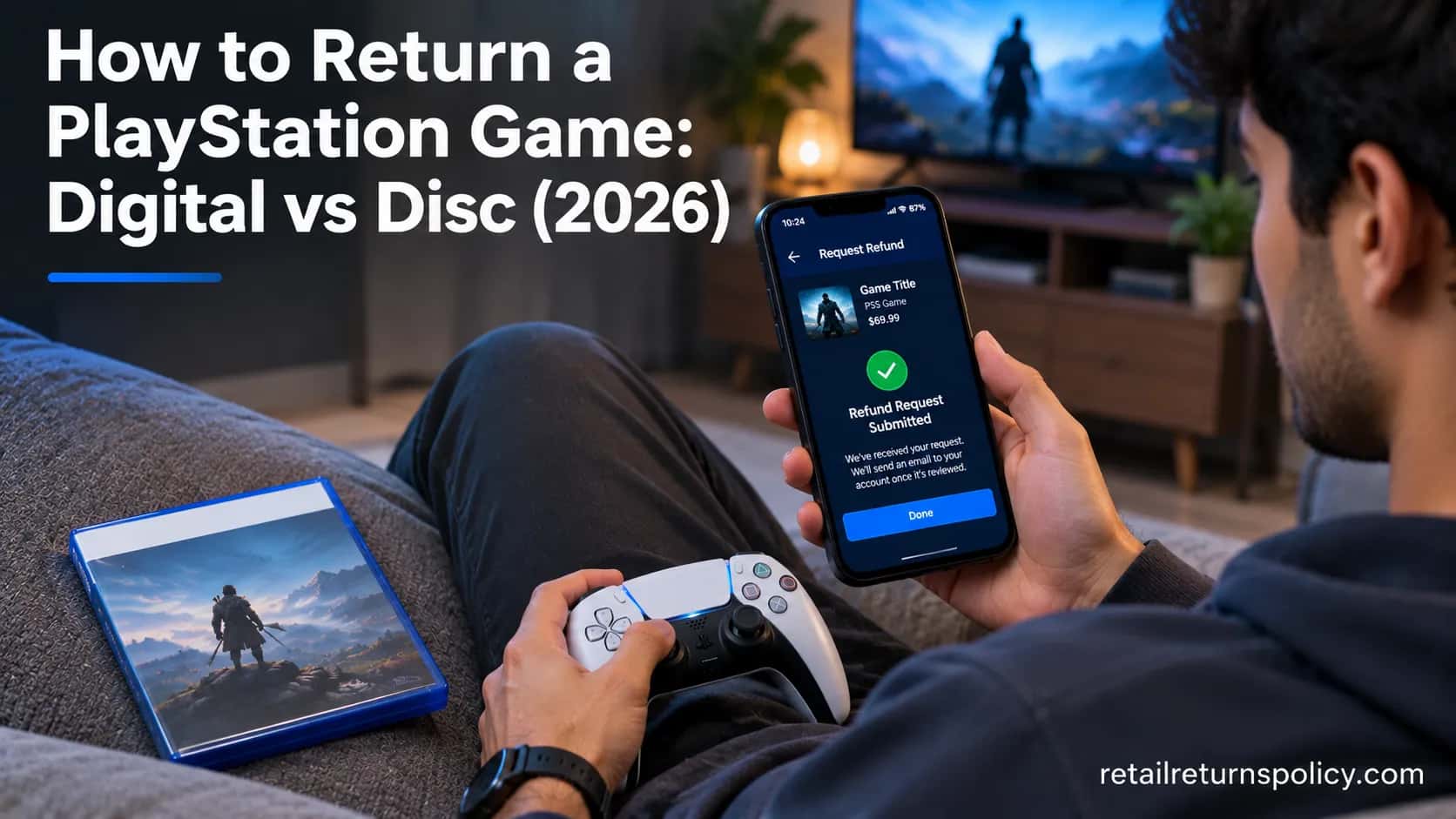
Figuring out how to return a PlayStation game comes down to one fork you need to settle first: is it a digital download or a physical disc?
Those two paths follow completely different rules, and mixing them up is why most refund attempts fail before they start.
Digital purchases run through Sony or Microsoft on a strict clock.
A disc, by contrast, follows the store’s own policy, and once you break the seal your options narrow fast.
This guide covers both, plus Xbox, because plenty of households own each console and the rules rhyme without being identical.
The 60-Second Answer
The PlayStation Store gives you 14 days to request a refund on a digital game, but only if you have not started downloading or streaming it.
The Xbox and Microsoft Store window is also 14 days, with a soft limit of under two hours of playtime.
Physical discs are different: they follow the retailer’s return policy, not Sony’s, and an opened disc is usually exchange-only for the same title.
So the honest short answer is that digital refunds are realistic if you act fast and before you download it, while disc refunds after opening are rare.
TL;DR: Digital PlayStation game = 14-day refund via Sony, only if not downloaded. Xbox = 14 days and under two hours played. Physical disc = the store’s policy; opened usually means exchange, not cash. Refunds go to your original payment method or store wallet, not automatically to cash.
Purchase type | Return window | The rule that disqualifies you | What you get back |
|---|---|---|---|
PlayStation digital game | 14 days | Any download or streaming started | Original payment method or PSN wallet |
Xbox / Microsoft digital game | 14 days | Two hours or more of playtime | Original method or Microsoft account balance |
Physical disc (any console) | Retailer policy (7 to 60 days) | Broken shrink wrap on a non-defective disc | Usually exchange or store credit |
Not sure which column you are in? If you bought it on the console or app and never inserted a disc, you are digital.
Jump to refund method in what you get back or to disc rules in physical disc returns.
Worth knowing: These windows are voluntary store policy, not a legal right. A retailer or platform can tighten them, so always check the current terms before you buy.
Is Your Game Eligible? Windows and the Download Rule
Eligibility for a PlayStation refund rests on two facts, and the window is the easy one.
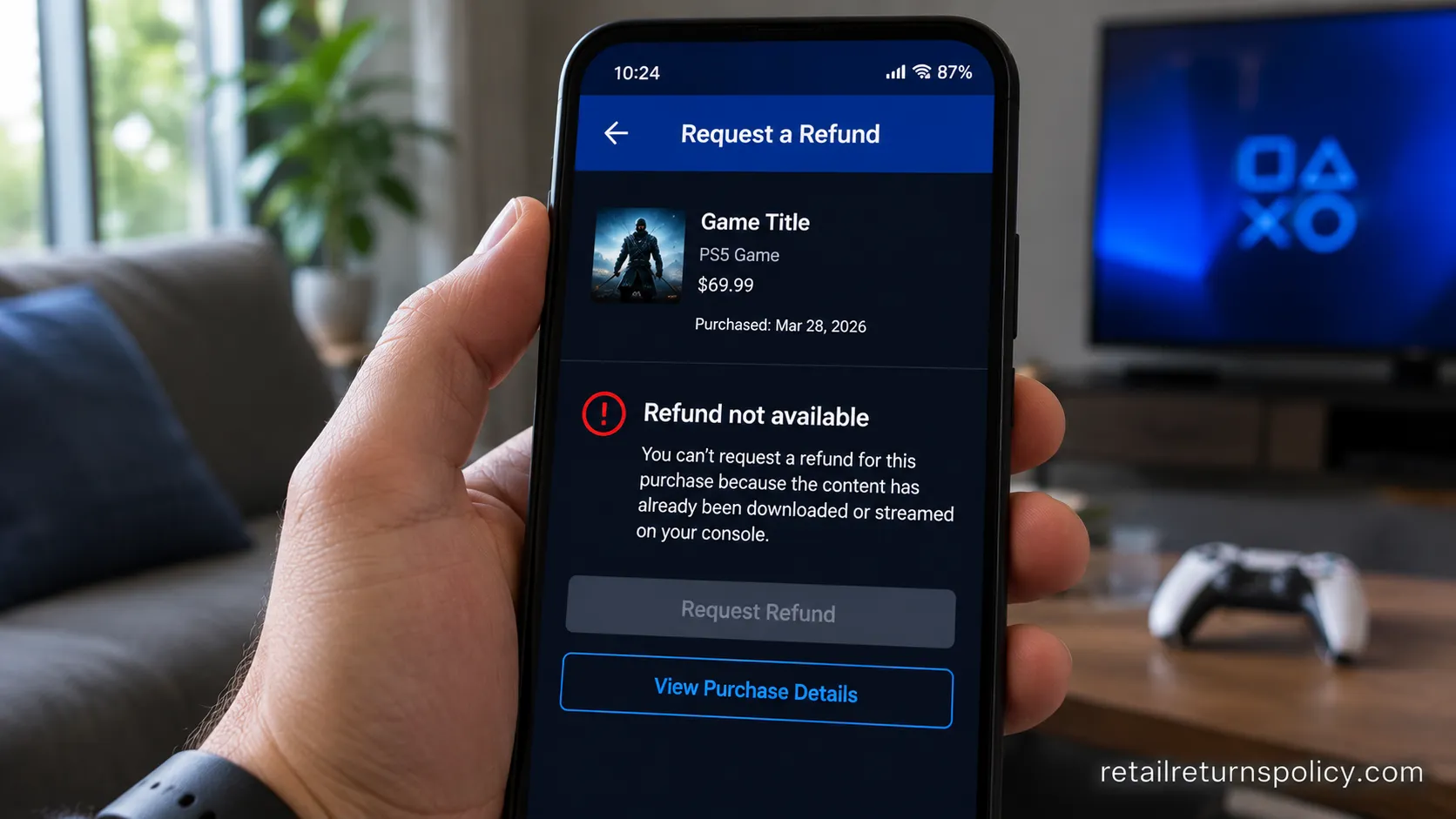
According to PlayStation’s published terms, you have 14 days from purchase to request a refund on a game or add-on, but you become ineligible the moment you download or stream it unless the content is faulty.
That download bar, not the calendar, is what disqualifies most people.
The Xbox side swaps the trigger: Microsoft allows 14 days with under two hours of runtime on record.
Knowing which trigger applies to you decides whether a request is even worth filing.
Returns ultimately trace back to whatever policy the seller set, and it helps to understand how return policies work in general before you file.
Here is the fast self-check before you request anything digital:
Within 14 days of purchase? If no, stop. Both platforms auto-block late requests.
Downloaded or streamed it (PlayStation)? If yes, you are ineligible unless it is genuinely faulty content.
Played two hours or more (Xbox)? If yes, expect a denial outside a case-by-case appeal.
Pre-order? You can cancel any time before release for a full refund, as long as the main download has not begun.
That pre-order path has a trap. If a pre-load is enabled and the game’s main files download, a pre-load forfeits the refund, and PlayStation 5 starts automatic downloads by default. Turn automatic downloads off if you think you might cancel.
Read the fine print: Sony rarely defines “faulty content,” so approval on that exception is discretionary. Do not assume a buggy launch qualifies. For sealed physical copies bought direct, the publisher’s own Xbox Game Studios Store lists a separate 30-day sealed-return window, which is a reminder that first-party stores and retailers each set their own terms.
How to Return a PlayStation Game (Step by Step)
To return a PlayStation game, you no longer need a live-chat agent.
Since August 2025, PlayStation added self-service refund requests directly in the PS Store on web and in the PS App, a change PlayStation LifeStyle documented after years of complaints.
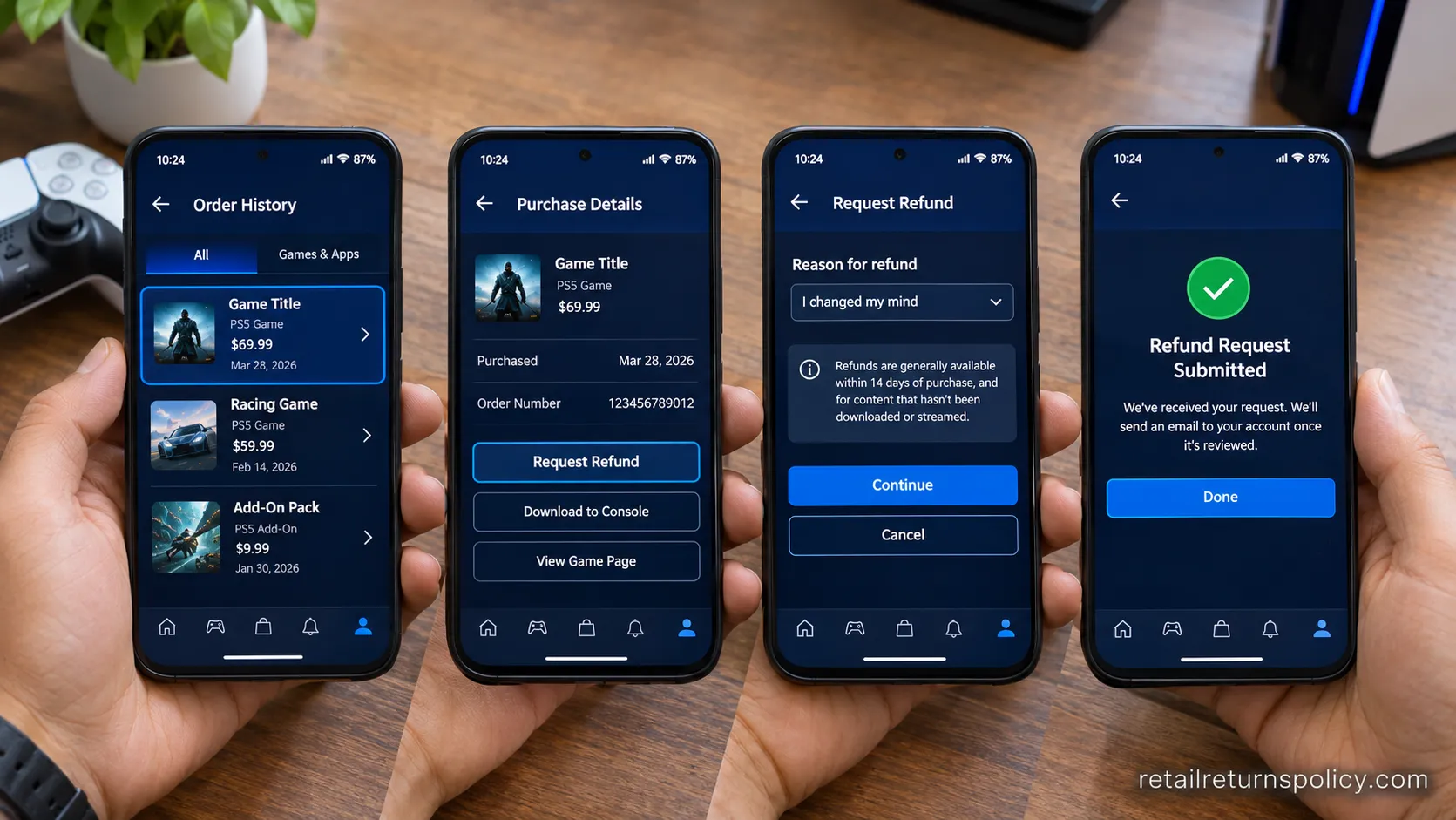
You locate the purchase in your transaction history and choose Request Refund in the PS App, then a support bot walks you through the reason and confirmation.
The whole flow takes about two minutes when the purchase is eligible. The steps below reflect the current path.
Have these ready first: your PSN sign-in, the purchase date, the exact title, and the email tied to the account.
Open the PS App or the PlayStation Store website. Sign in to the account that made the purchase. You should land on your store home screen.
Go to your transaction or purchase history. Tap your profile, then find the order for the game. You should see the title, date, and price.
Select the purchase and choose Request Refund. If the option is missing, the item is outside the window or already downloaded.
Pick a reason and confirm. The Refund Assistant bot handles eligibility checks here. You should see a confirmation that the request was submitted.
Watch your email for the decision. Approved digital refunds process automatically, per PlayStation’s refund request page.
The app and the web browser both work, and in testing the phone route was the quicker of the two for a one-off request.
Approval still depends on the eligibility rules from the section above, so a downloaded title will bounce even if you complete every step cleanly.
How to Return a Game on Xbox (Step by Step)
To return a game on Xbox, you request the refund through your Microsoft order history rather than on the console store page.
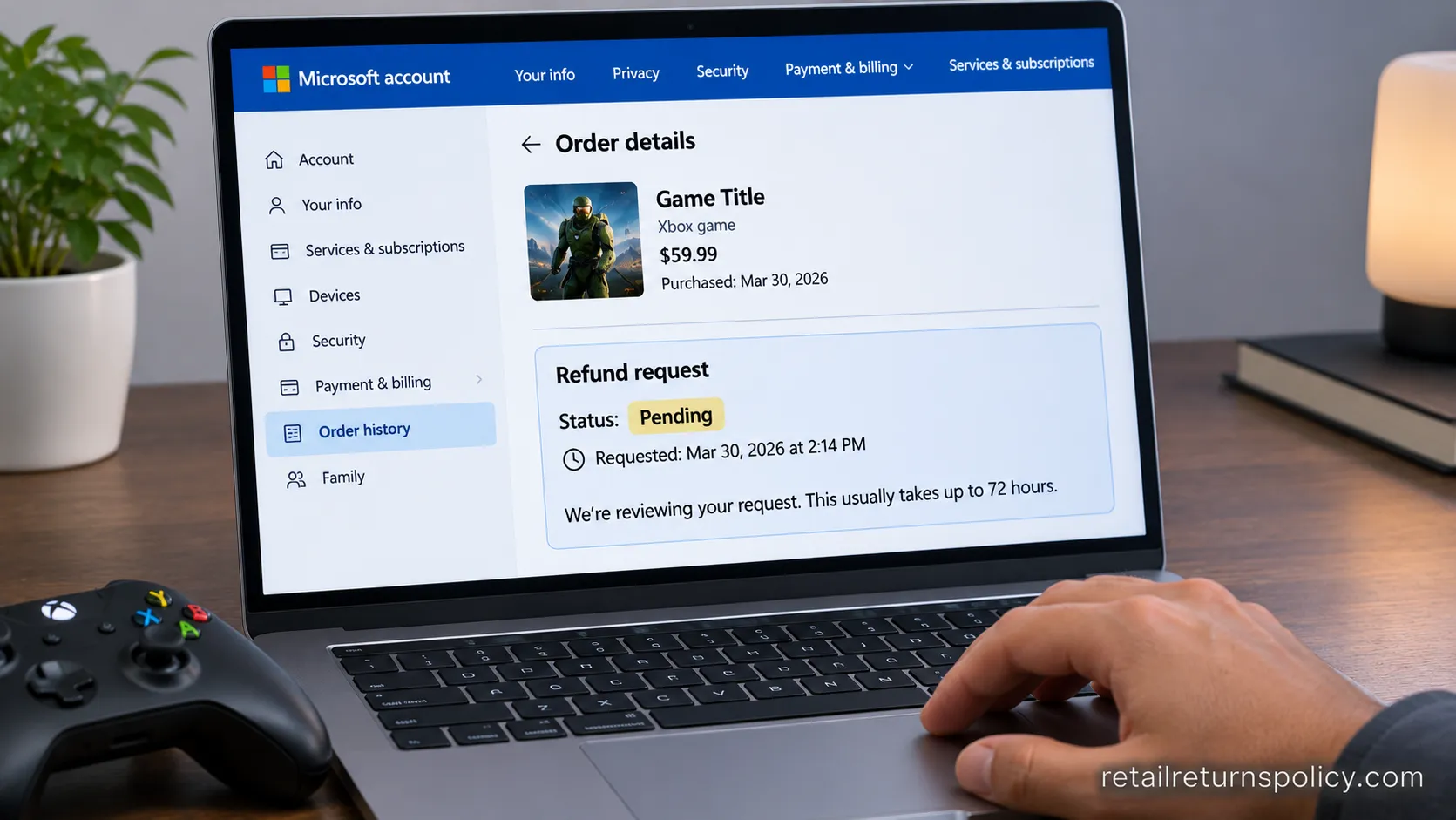
Per Microsoft Support, Xbox grants digital game refunds within 14 days of purchase when you have under two hours of runtime on record, and the funds typically land back in about three business days.
Unlike PlayStation, Xbox does not hard-block on any download, but heavy playtime moves you into case-by-case territory.
There are three ways in, and all of them reach the same request form.
Go to the Xbox support refund page and sign in. Choose “Request a refund for digital games.” You should see a list of eligible recent purchases.
Or open your Microsoft account order history. Head to account.microsoft.com, find the game, and select Request a refund.
Or use the console. Open Settings, then Account, then Payment and Billing, then Order history.
Select the game and give a reason. Accidental purchase and technical fault are the strongest cases.
Submit and check the refund status tab. You should see a pending status, then a decision.
Digital returns work much the same on other account-based stores, so if you have ever gone through returning an Audible purchase, the rhythm here will feel familiar.
What You Get Back: Card, Wallet or Store Credit
The refund method is where PlayStation and Xbox quietly differ, and it decides whether you see real money or store funds.
PlayStation issues most refunds to your original payment method, such as a card or PayPal, and only credits the PSN wallet when the original method has expired.
Microsoft returns Xbox refunds to your original method or your Microsoft account balance.
The Microsoft Store lists roughly three to five business days for money to post back, per Microsoft Store returns.
The store-credit-versus-original-payment question matters most on physical discs, where an exchange is common.
The timing gap between a card refund and a wallet credit is real, and it is the one number most guides skip.
Refund route | Where the money lands | Typical time to appear |
|---|---|---|
PlayStation, original card | Same card or PayPal | 3 to 5 business days |
PlayStation, expired card | PSN wallet | Near-immediate |
Xbox, original method | Same card | 3 to 5 business days |
Xbox, account balance | Microsoft account | Near-immediate |
Physical disc, opened | Store credit or exchange | At the register |
Online purchases carry their own quirks around how and when money comes back, which is worth a look if you bought through a retailer’s site; here is how online store returns work.
Set expectations: A physical opened disc usually means store credit or a swap, not cash back. Choose a wallet or account-balance refund when you plan to rebuy soon, since it clears faster.
Why Refunds Get Denied (and Can You Return a Game You Already Played?)
PlayStation and Xbox deny most refunds for the same short list of reasons: the game was downloaded, the playtime ran long, or the request is simple change-of-mind on working content.
The platforms state their windows plainly, but the community friction comes from the gap between what is written and what gets approved.
The single most common denial is the one where a digital title was already downloaded and the tool will not even let you query it.
Understanding the three triggers below tells you whether an appeal is worth your time.
Can you return a game you already played?
Usually no. Once a PlayStation title is downloaded or an Xbox title crosses two hours, the automatic path closes, and you are left appealing to a human.
The honest exception is genuinely faulty content, which is discretionary and inconsistently granted.
The three denial triggers, in plain terms:
Downloaded (PlayStation). Any download or stream generally voids eligibility outright.
Over two hours played (Xbox). You move from automatic approval to a manual review that often says no.
You bought the wrong version or changed your mind. Working content, change of mind, is the weakest case on either platform.
Downloaded digital content is frequently non-refundable across stores, and the same logic applies when refunding a Kindle book: delivery equals commitment.
If a request is denied and you believe it is unfair, you can reply to the rejection email to appeal, and a card chargeback to dispute the charge exists as a genuine last resort.
Use the chargeback route sparingly, because platforms can suspend accounts over it.
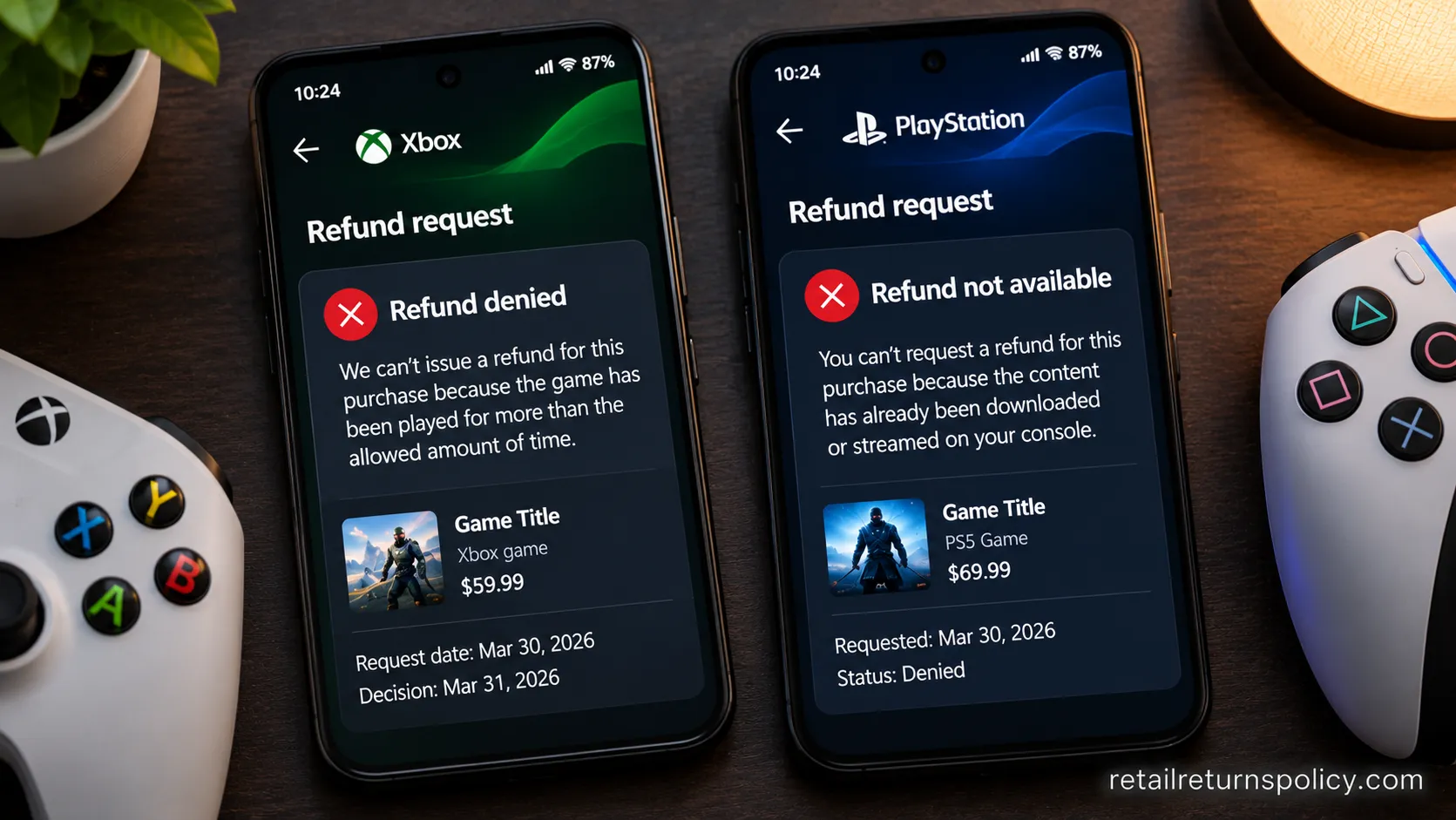
The uncomfortable truth: The stated policy and what actually gets enforced can differ, and approval is never guaranteed. Xbox also effectively limits accounts to one self-service digital refund per calendar year, a cap the platform does not advertise but community trackers have long flagged.
Physical Disc Returns and Your Consumer Rights
A physical PlayStation disc follows the store’s return policy, not Sony’s, and that single fact reshapes your options.
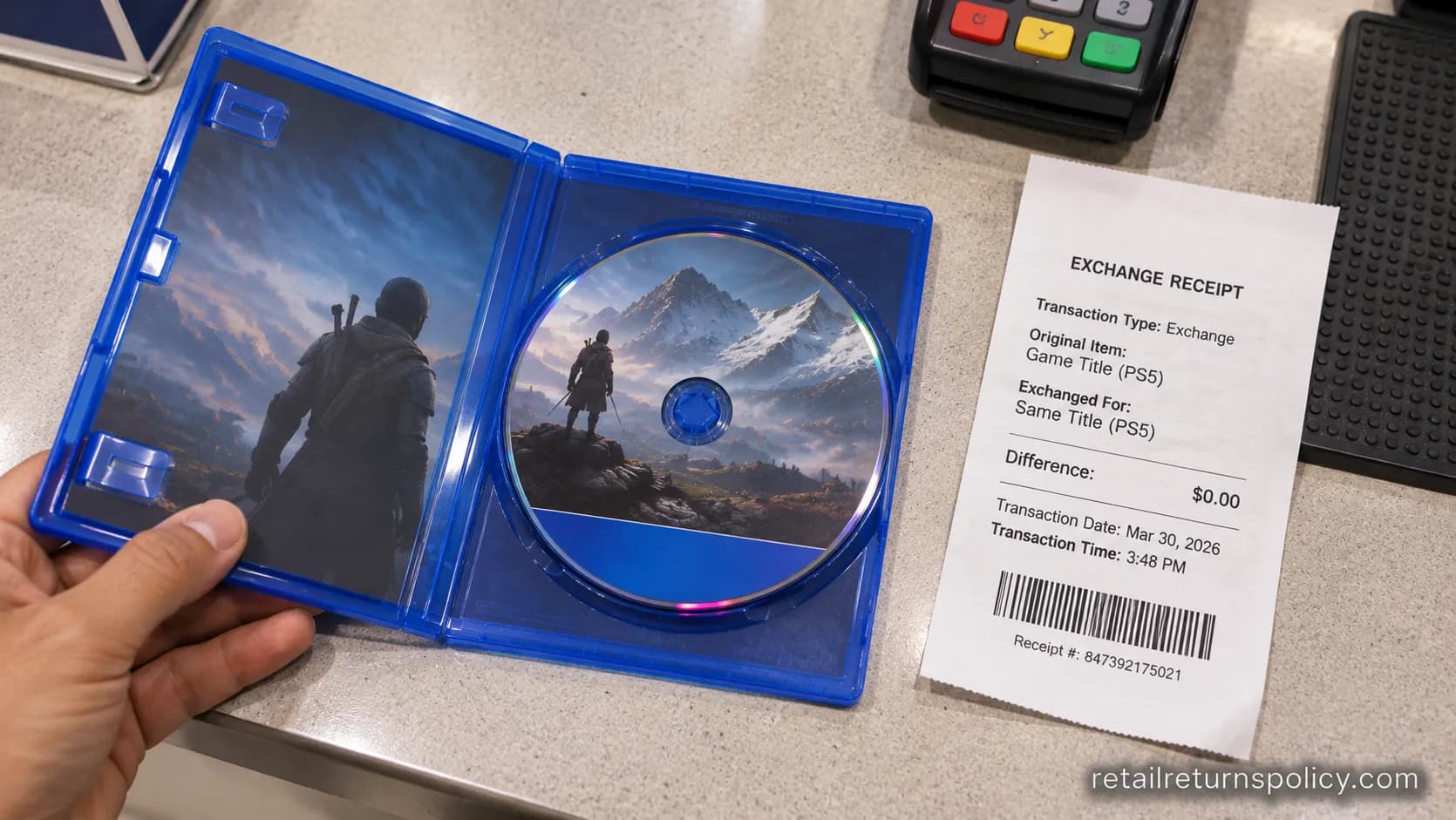
Opened new discs are typically exchange-only for the identical title, because retailers treat a broken seal as non-resalable.
GameStop’s published terms give 15 days on new items with a receipt and 7 days on pre-owned, with defective opened games swapped for the same title, per GameStop’s return policy.
Best Buy treats opened physical media as exchange-only, and the Microsoft Store allows 60 days on sealed physical software.
In short, the shrink wrap is your refund insurance.
Retailer | New sealed window | Opened disc | Notable catch |
|---|---|---|---|
GameStop | 15 days with receipt | Exchange for same title if defective | Console mail returns carry a shipping fee |
Best Buy | 15 days (Total members longer) | Exchange-only | Opened entertainment media rarely refunded |
Microsoft Store | 60 days | Sealed only for full refund | Seal must be intact |
If you have lost the box or proof of purchase, the odds drop further, and the store-by-store playbook for returning something without a receipt is the better starting point than the game counter.
Now the part almost no game guide mentions: United States law gives you far less than most shoppers assume.
There is no federal right to return a purchase just because you changed your mind.
The FTC’s Cooling-Off Rule grants a three-day cancellation window only for certain sales made away from a seller’s normal place of business, and it explicitly does not cover in-store or online purchases.
Know your baseline: US law gives no automatic change-of-mind refund on games. Every window above is voluntary store policy. Your real leverage is a defective product, where implied-warranty and state consumer-protection rules can support an exchange or refund.
Frequently Asked Questions
How long do you have to return a PlayStation game?
You have 14 days from the date of purchase to request a refund on a digital PlayStation game, and you must not have downloaded or streamed it. Physical discs instead follow the retailer’s window, which commonly runs 7 to 60 days depending on the store and whether the item is sealed.
Can you get a refund on a game you already downloaded?
Usually not on PlayStation. Once you download or stream a digital title, you become ineligible unless the content is genuinely faulty, which Sony grants at its discretion. Xbox is slightly more forgiving, allowing a refund within 14 days if your playtime is under two hours.
Can you refund a pre-ordered PlayStation game?
Yes. You can cancel a pre-order any time before the release date for a full refund, without the 14-day clock applying, as long as the main game has not downloaded. Be careful with pre-loads, because starting the main download can forfeit that eligibility.
Can you refund a PS Plus or Game Pass subscription?
Within 14 days, often partially. Both platforms allow subscription refunds inside the window, but they may reduce the amount based on usage such as online play, downloaded monthly games, or cloud saves. A subscription you have actively used will rarely refund in full.
Can you return a gifted game?
It depends on who bought it. Digital gifts follow the purchasing account’s eligibility, so the buyer usually has to request the refund. A sealed physical gift can often be exchanged at the retailer, though without a gift receipt you are limited to store credit at best.
Can you return an opened physical game?
Rarely for cash. Most retailers treat an opened disc as exchange-only for the same title, and only when it is defective. A sealed, unopened disc within the store’s window is the only version of a physical game that reliably earns a full refund.
Do you get your money back or store credit?
For digital refunds, money returns to your original payment method or, if that has expired, to your platform wallet or account balance. For an opened physical disc, expect store credit or an even exchange rather than cash.
The Bottom Line
The cleanest way to think about how to return a PlayStation game is to settle the digital-versus-disc question first, then act inside the window.
A digital game is refundable through Sony for 14 days only before you download it, an Xbox title needs under two hours of play, and a physical disc lives or dies by the shrink wrap and the retailer’s policy.
Miss any of those and your best remaining move is the faulty-product angle, not change of mind.
Check the current terms before you buy, keep receipts on discs, and file digital requests the moment you realize you want out.
That timing, more than anything, is what turns a denied refund into an approved one
Read it your way
Short on time? Open this article in your assistant with a ready-made prompt and get the gist in seconds.
Found this useful? Make us a preferred source so we show up in your Google results.
Keep reading
Related articles
Retailer Return Policy Hubs
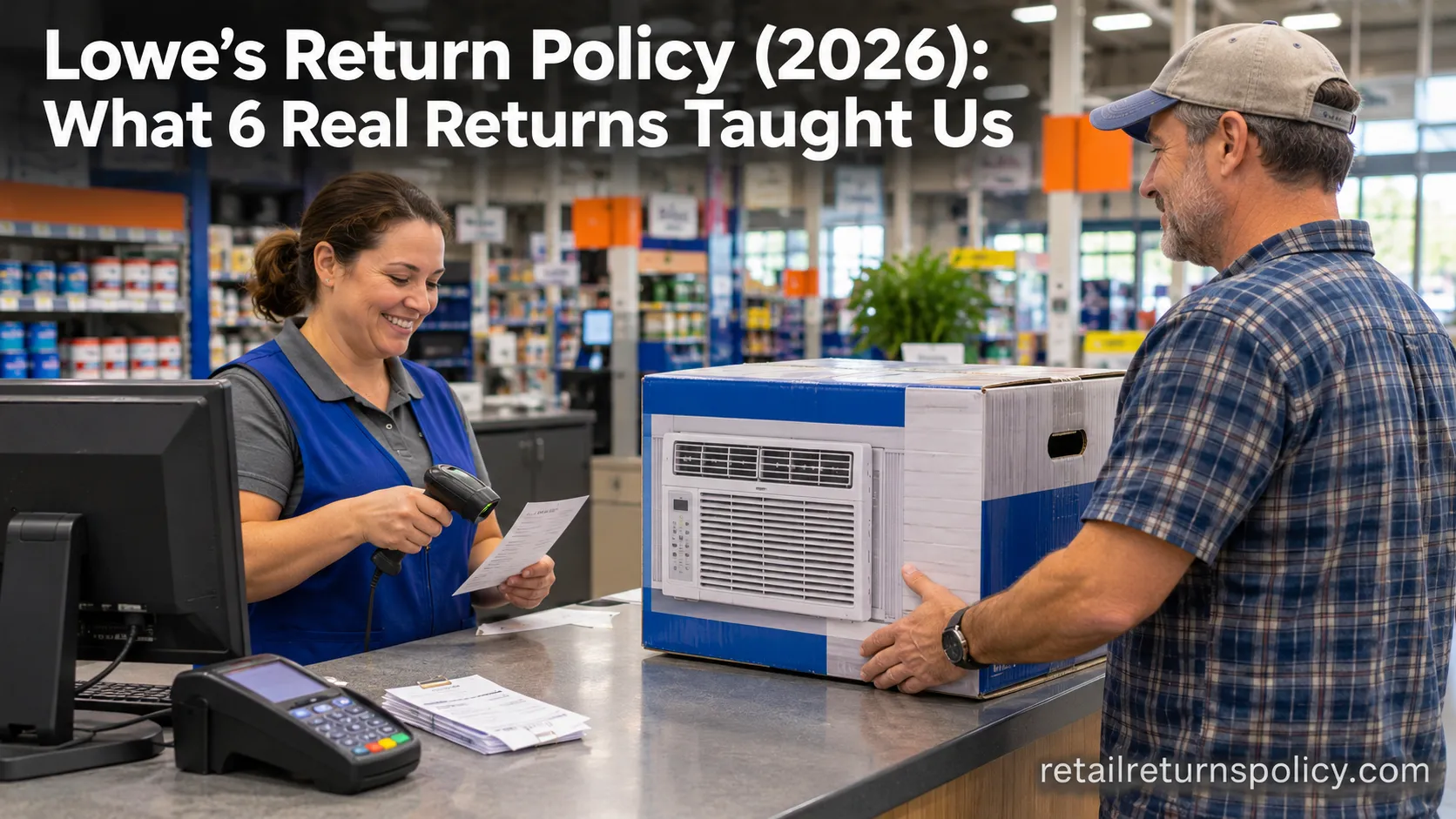
Lowe’s Return Policy (2026): What 6 Real Returns Taught Us
Get Lowe’s return policy in plain English: the 90-day window, the 48-hour appliance and window-AC trap, no-receipt store credit, refund timing, and how to retur
Retailer Return Policy Hubs
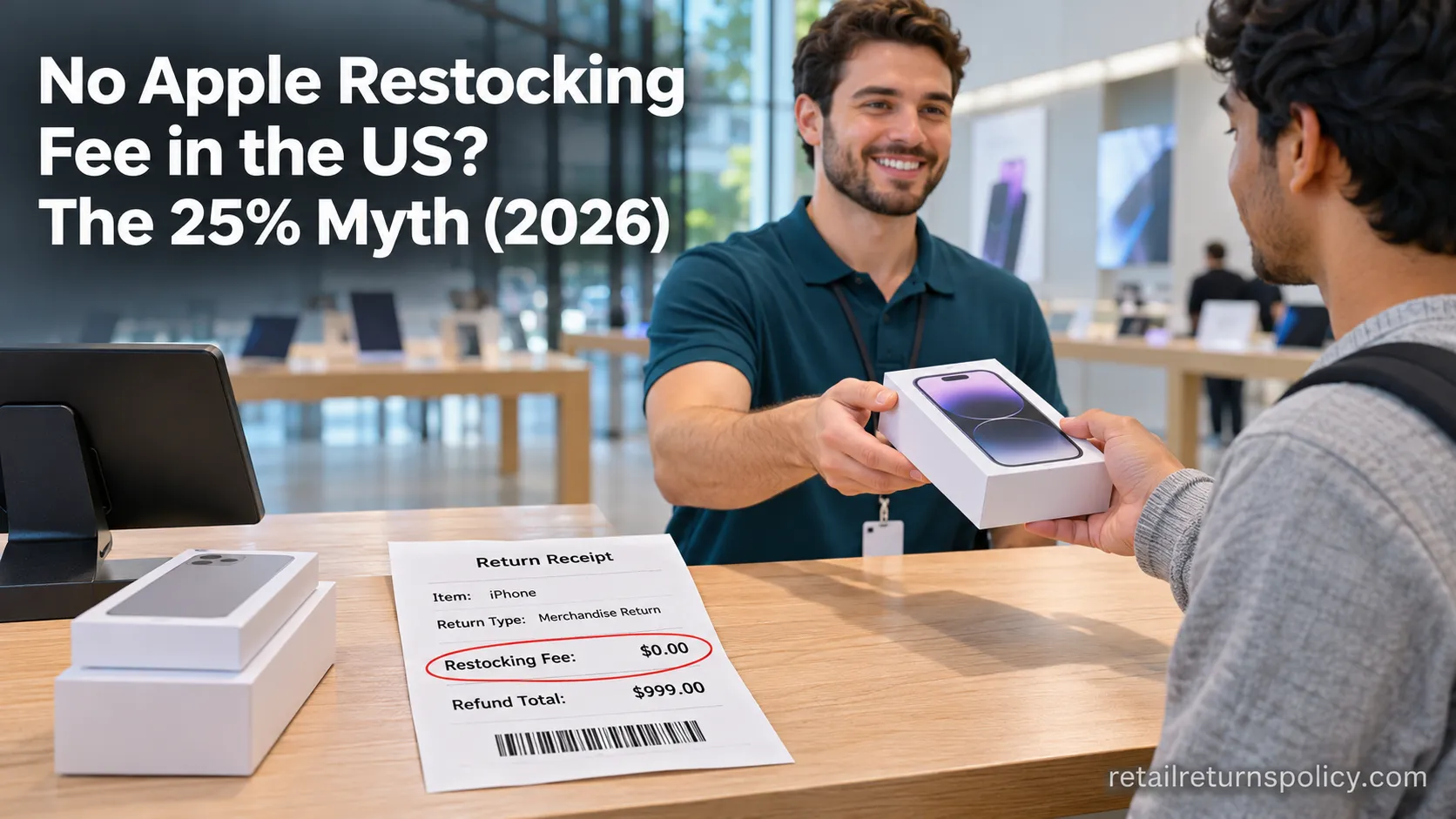
No Apple Restocking Fee in the US? The 25% Myth (2026)
Skip the Apple restocking fee worry: the US charges $0 within 14 days, while carriers add $50 and Best Buy, Samsung & Newegg dock 5–15%.
Retailer Return Policy Hubs
Return and Exchange Policy: What You Get Back (2026)
An exchange swaps your item; a refund returns your cash. See how a return and exchange policy pays out, when swaps are free, and your state rights.

Retailer Return Policy Hubs
Old Navy Return Policy: 30, 45 & 60-Day Windows (2026)
Check the Old Navy return policy fast: 30-day window (45–60 days for members), receipt rules, refund timing, the $7 mail fee & final-sale items.
The discussion
Comments
Every comment is reviewed before it goes live.