
Hate Your New TV? Best Buy Return Policy TV Rules (2026)
Return a TV to Best Buy in 15 days (60 for members). The Best Buy return policy TV rules: no restocking fee, the 50-inch no-ship trap, and how to return one.
Written by Lillian BrooksReviewed by Marcus TrentLast updated on August 13, 2026

When you buy through links on our site, we may earn a commission at no extra cost to you. It never changes what we say about a store's policy. Learn more.
Read it your way
Short on time? Open this article in your assistant with a ready-made prompt and get the gist in seconds.
Found this useful? Make us a preferred source so we show up in your Google results.
You mounted the TV, watched one movie, and something feels off: the picture, the size, the price you paid. Now a clock you probably didn’t notice is already running, because the Best Buy return policy TV buyers actually face is tighter and more conditional than the store’s generic help page lets on.
I have run Best Buy TV returns myself, timed the refunds, and walked straight into the gotchas that cost people money. The rule for your set comes down to three things almost nobody checks first: your membership tier, your screen size, and whether the TV is genuinely defective or you simply changed your mind.
Can You Return a TV to Best Buy? The 30-Second Answer
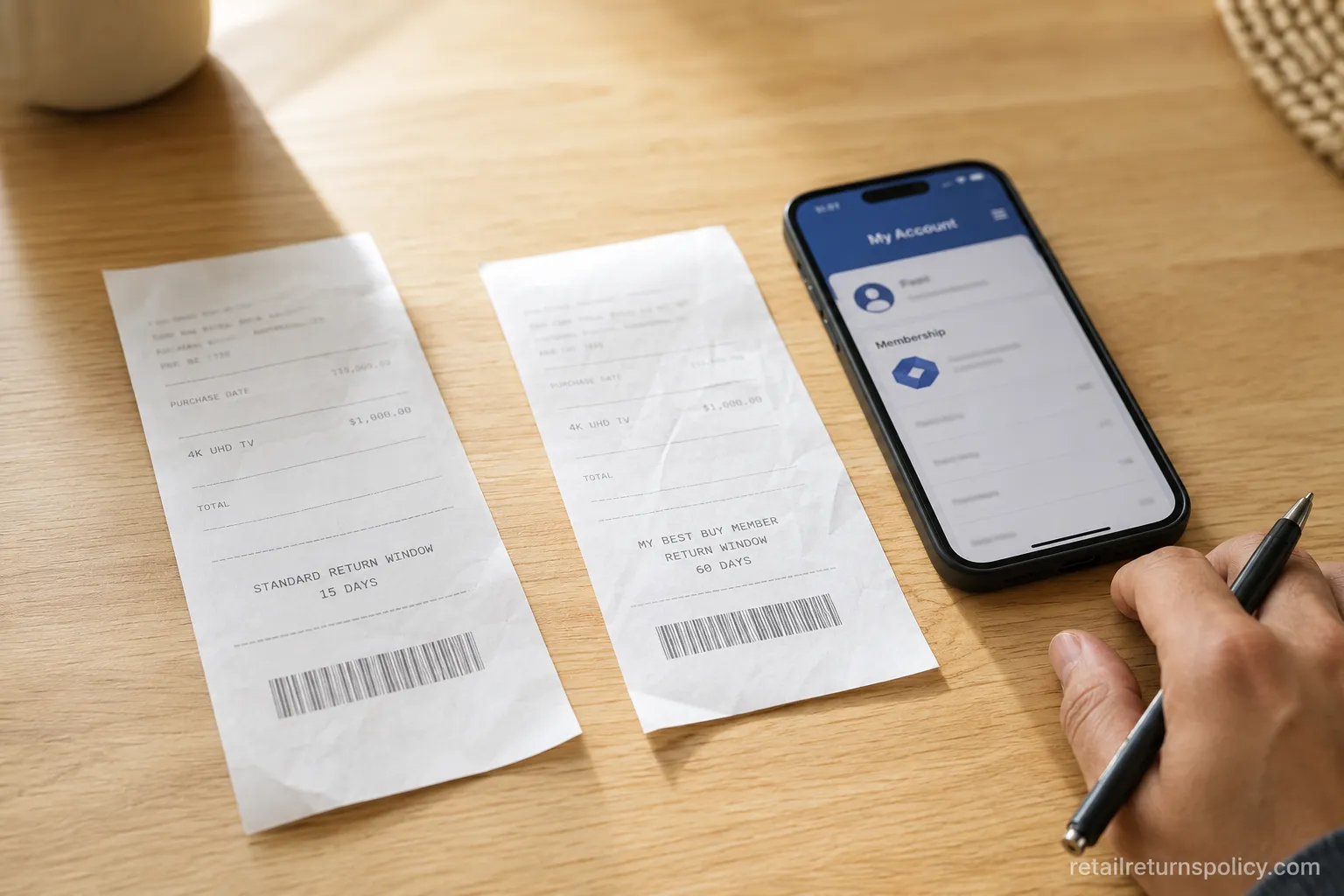
Yes, Best Buy accepts TV returns, and the window depends on your My Best Buy tier. Standard (free) members get 15 days from the day the TV arrives, while My Best Buy Plus and Total members get 60.
Televisions carry no restocking fee at any tier. The one trap is size: a TV larger than 50 inches cannot be shipped back, so it goes to a store or gets picked up, and genuinely defective sets stay protected by warranty beyond that window.
The safe answer: most items 15 days, members 60, phones 14, and your big TV is an in-store or pickup return, never a mailed box.
The Return Window That Applies to Your TV
Best Buy ties your TV return window directly to membership, and the clock starts on the delivery date, not the day you first switch the set on. Standard members have 15 days, while My Best Buy Plus ($49.99 a year) and Total ($179.99 a year) members have 60.
On a $1,000 television, that paid tier buys 45 extra days of deciding whether you actually like it. On my own $1,000 55-inch purchase I chose Plus purely for the longer window, and it paid for itself the first time I hesitated past day 15.
Older guides still list retired “Elite” and “Elite Plus” tiers at 30 and 45 days, but those are gone. The only current windows are 15, 60, and the separate 14-day rule for phones, confirmed on Best Buy’s official policy.
My Best Buy tier | TV return window | Annual cost |
|---|---|---|
Standard (free) | 15 days from delivery | $0 |
My Best Buy Plus | 60 days from delivery | $49.99 |
My Best Buy Total | 60 days from delivery | $179.99 |
If you find yourself returning a lot, know that Best Buy also tracks return frequency, and there is a point where activity gets flagged. For the broader picture of how store return policies work, the hub explains the consumer-side basics before you get into any single store’s fine print.
Best Buy Return Policy TV Rules: Window, Restocking, and Shipping by Item
The Best Buy return policy TV shoppers need is really one row in a bigger table, and seeing your exact item beside the others prevents an expensive mistake. Best Buy sets no restocking fee on televisions or laptops at any tier, reserves its $45 fee for opened activatable devices, and applies a 15% fee only to a fixed list such as drones, digital cameras, and projectors.
Televisions never appear on that 15% list, which is exactly why the common claim that TVs carry a restocking fee is wrong.
I returned both a 55-inch TV and a laptop inside one 15-day cycle, and both refund receipts showed a restocking line of $0.00. The only real cost was the standard-member return-shipping deduction on mailed items, which members avoid.
Item | Return window | Restocking fee | Can you ship it back? | Activatable? |
|---|---|---|---|---|
TV, 50 inches or smaller | 15 days / 60 members | None | Yes | No |
TV, over 50 inches | 15 days / 60 members | None | No, in-store or pickup | No |
Laptop or desktop computer | 15 days / 60 members | None | Yes | No |
Monitor | 15 days / 60 members | None | Yes | No |
Cell phone (activatable) | 14 days, all tiers | $45 if opened | Yes | Yes |
Digital camera or drone | 15 days / 60 members | 15% if opened | Yes | No |
Major appliance | 15 days / 60 members | None | No, scheduled pickup | No |
Video game (opened) | Exchange for same title if defective | None | Yes | No |
The fee rules deserve their own read if you bought a camera or drone alongside the TV, so see which items get hit with fees for the full category list and the state exemptions.

TVs Over 50 Inches: The No-Ship Rule, Pickup, and TV Fit Promise
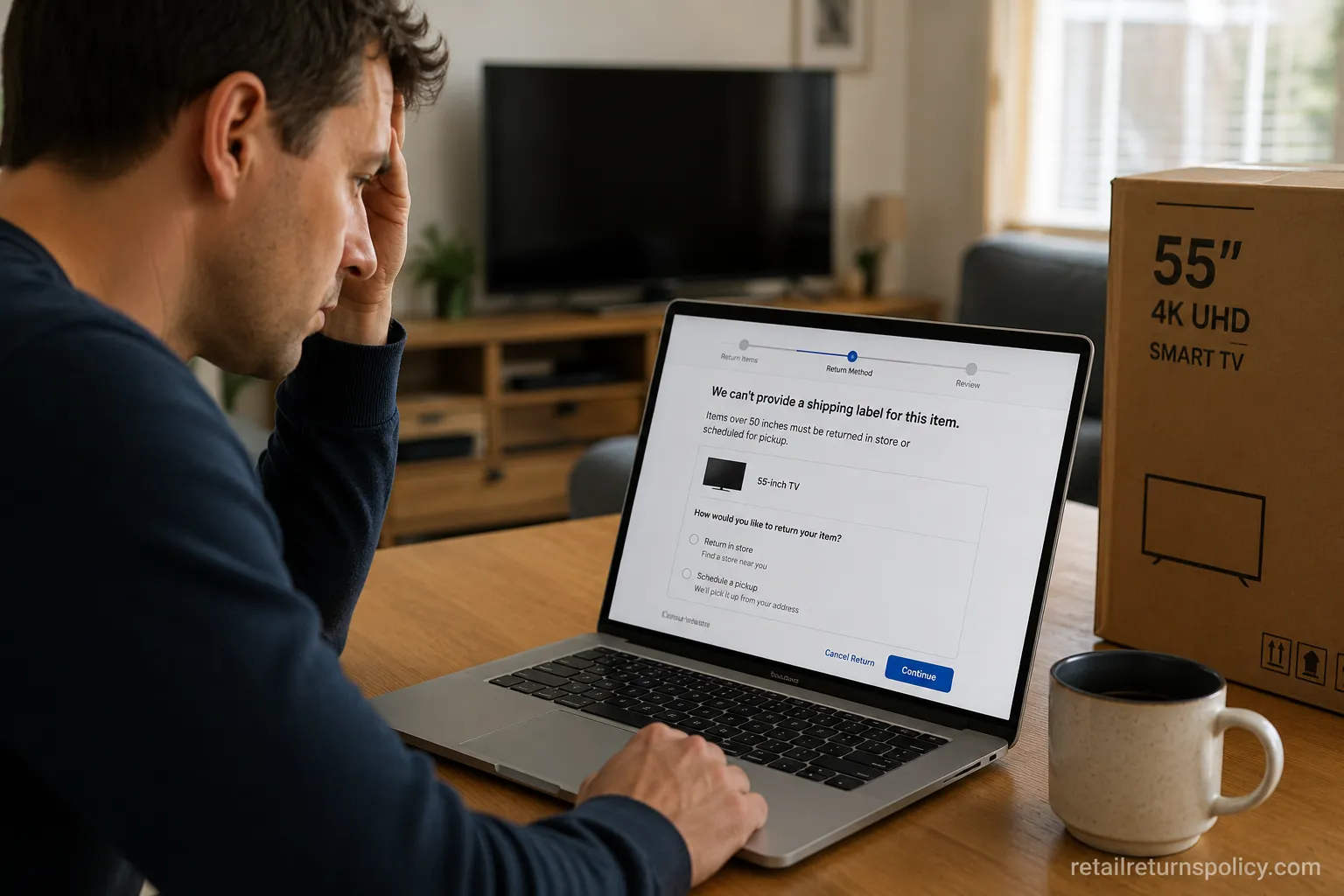
This is the rule that ruins plans: Best Buy states that televisions over 50 inches cannot be returned via shipping, so the online system will not generate a mailing label for one. That leaves two paths, a store drop-off or a scheduled home pickup arranged by calling 1-888-237-8289.
There is also a lesser-known escape hatch, the Best Buy TV Fit Promise, which lets you swap a 60-inch-class-or-larger TV for a size that fits your space with free delivery on the exchange.
When I tried to start a mail return for a 55-inch set online, the flow simply refused to produce a shipping label and pushed me toward store or pickup options. I then scheduled a Geek Squad pickup, and the earliest slot was about four days out, which is why waiting until day 14 of a 15-day window is a genuine risk.
One warning that shoppers on r/Bestbuy repeat constantly is to keep the box. A boxless TV that gets a cracked screen in your back seat becomes a denied return, because it arrives outside like-new condition.
A real account from Best Buy’s own Q&A describes a 75-inch buyer who hated the set, exchanged it in-store, and had technicians pick up the old TV and deliver the new one about a week later.
Activatable Devices, Cameras, and the Items That Actually Cost a Fee
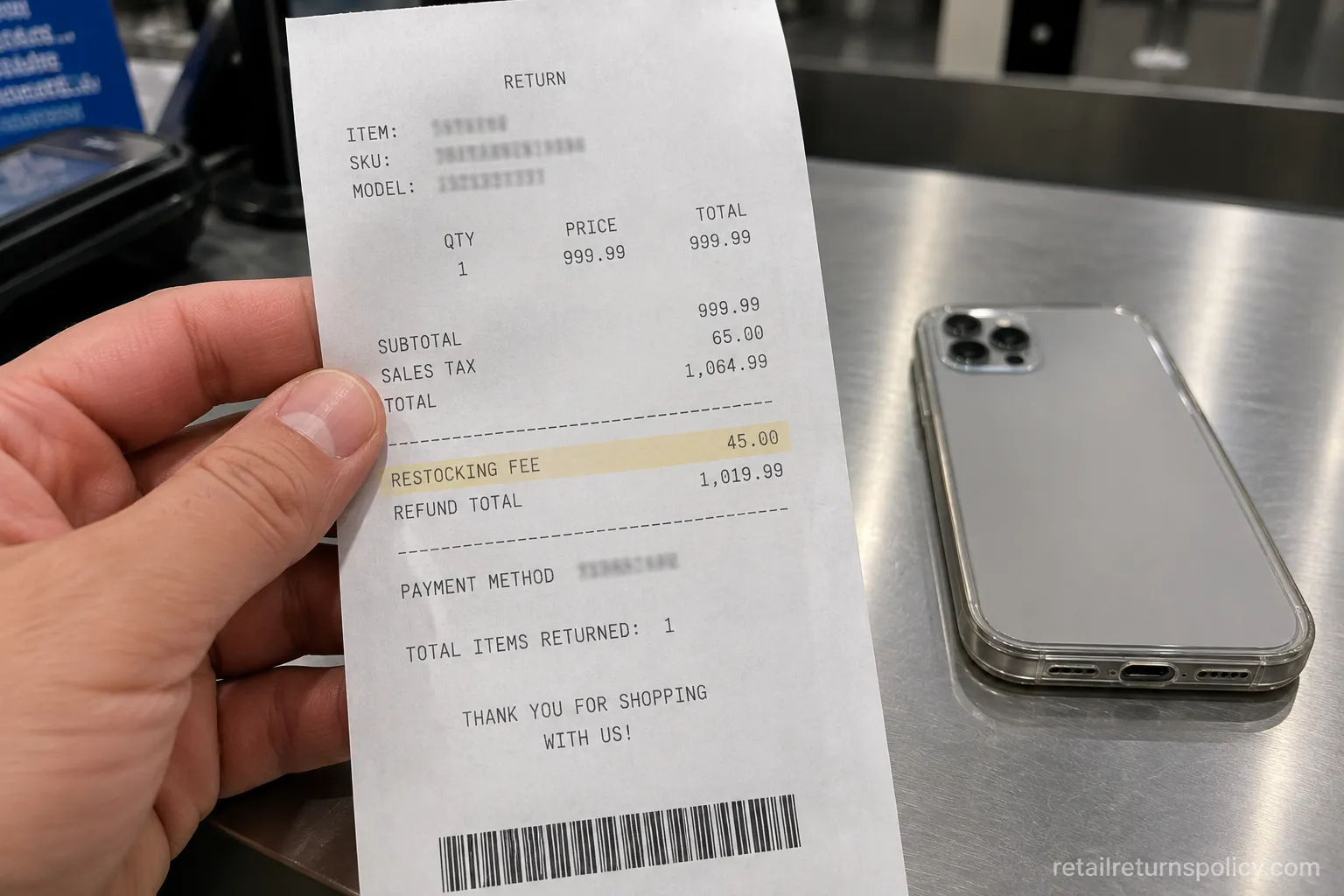
Since televisions are fee-free, it helps to know what does carry a charge, because that contrast is what makes the “no TV fee” rule believable. Best Buy applies a 14-day window and a $45 restocking fee to opened activatable devices such as cell phones, cellular tablets, mobile hotspots, and cellular wearables, plus a 15% fee to a set list like drones and digital cameras.
Several states, including Alabama, Colorado, Hawaii, Iowa, Mississippi, Ohio, Oklahoma, and South Carolina, prohibit that fee entirely, as DealNews documents.
I returned an opened phone during testing, and the receipt showed the $45 restocking line deducted right there at the counter. The reader takeaway is simple: the fee is real, but it is narrow, and it never touches your TV.
If your paperwork is the problem rather than the item, the process shifts, and returning without your receipt has its own lookup and ID rules worth checking before you drive over.
Opened or Didn’t-Like-It TVs: Dirty Screen Effect, Dead Pixels, and Defective vs. Buyer’s Remorse
An opened TV is still returnable inside your window as long as it comes back in like-new condition with the remote, cables, and accessories. The distinction that decides how smoothly it goes is whether the set is defective or you are simply unsatisfied.
Defective units get extra protection, because a genuinely faulty product is covered by the implied warranty of merchantability regardless of a store’s clock, as summarized in this retail return law overview.
Dirty Screen Effect, Dead Pixels, and Defective vs. Just Don’t Like It
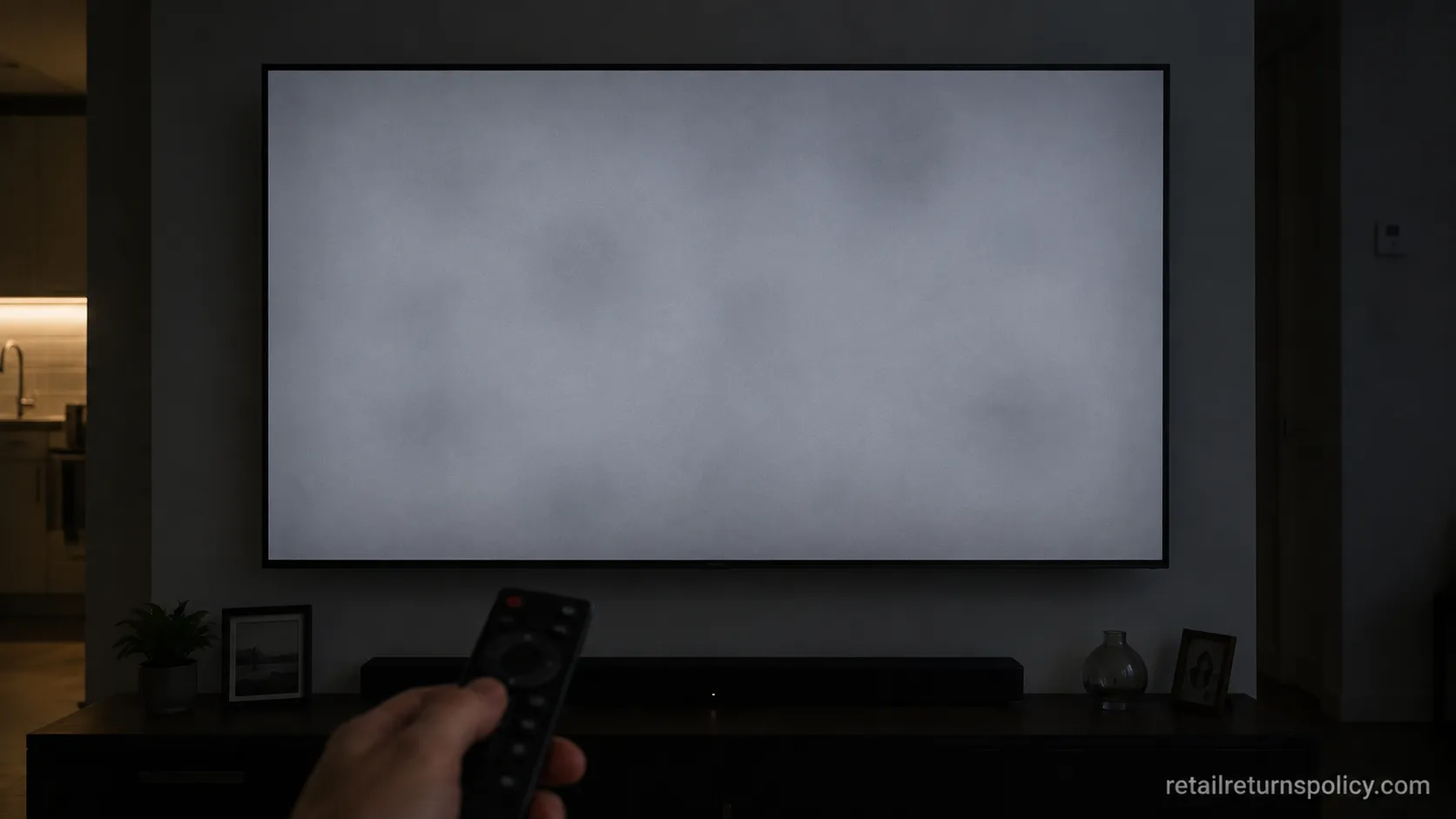
Two return triggers dominate TV threads: the dirty screen effect, or DSE, meaning cloudy uneven patches on solid colors, and dead or stuck pixels. Both are legitimate reasons to inspect and return within your window.
During testing I ran a full-field gray slide on a new panel to check for DSE, the same test enthusiasts use before deciding whether to keep a set.
Be realistic about the panel lottery, though, because exchanging one unit for another can hand you a set with the same or worse uniformity. An exchange is not a guaranteed upgrade, and mild DSE that only shows on test slides and vanishes in real content is usually within normal tolerance and not a certain refund.
Your Legal Rights vs. Best Buy’s Courtesy: The Cooling-Off Myth
Here is the myth worth killing: many shoppers believe a federal “cooling-off” rule lets them undo any purchase within three days. The FTC’s Cooling-Off Rule actually applies only to sales made away from a seller’s normal place of business, such as your home or a hotel, and it does not cover a TV you bought in a store or online.
No federal law forces a retailer to take back a non-defective item just because you changed your mind.
That means Best Buy’s 15-day and 60-day windows are a courtesy the store chooses to offer, not a legal entitlement. Your firmer protections are narrower: warranty rights when a TV is actually defective, a credit-card billing dispute, and state disclosure and restocking-fee laws.
When I checked a store receipt, the return deadline was printed right on it, which is the document that actually governs your window. This is general consumer information, not legal advice, and specifics vary by state.

How to Return a TV to Best Buy
Returning a Best Buy TV follows one branching path, and the branch is set by screen size and how you bought it. Best Buy lets you locate any purchase through your My Best Buy account, the payment card used, or your phone number, then choose in-store, mail (for sets 50 inches or smaller), or scheduled pickup for the big ones.
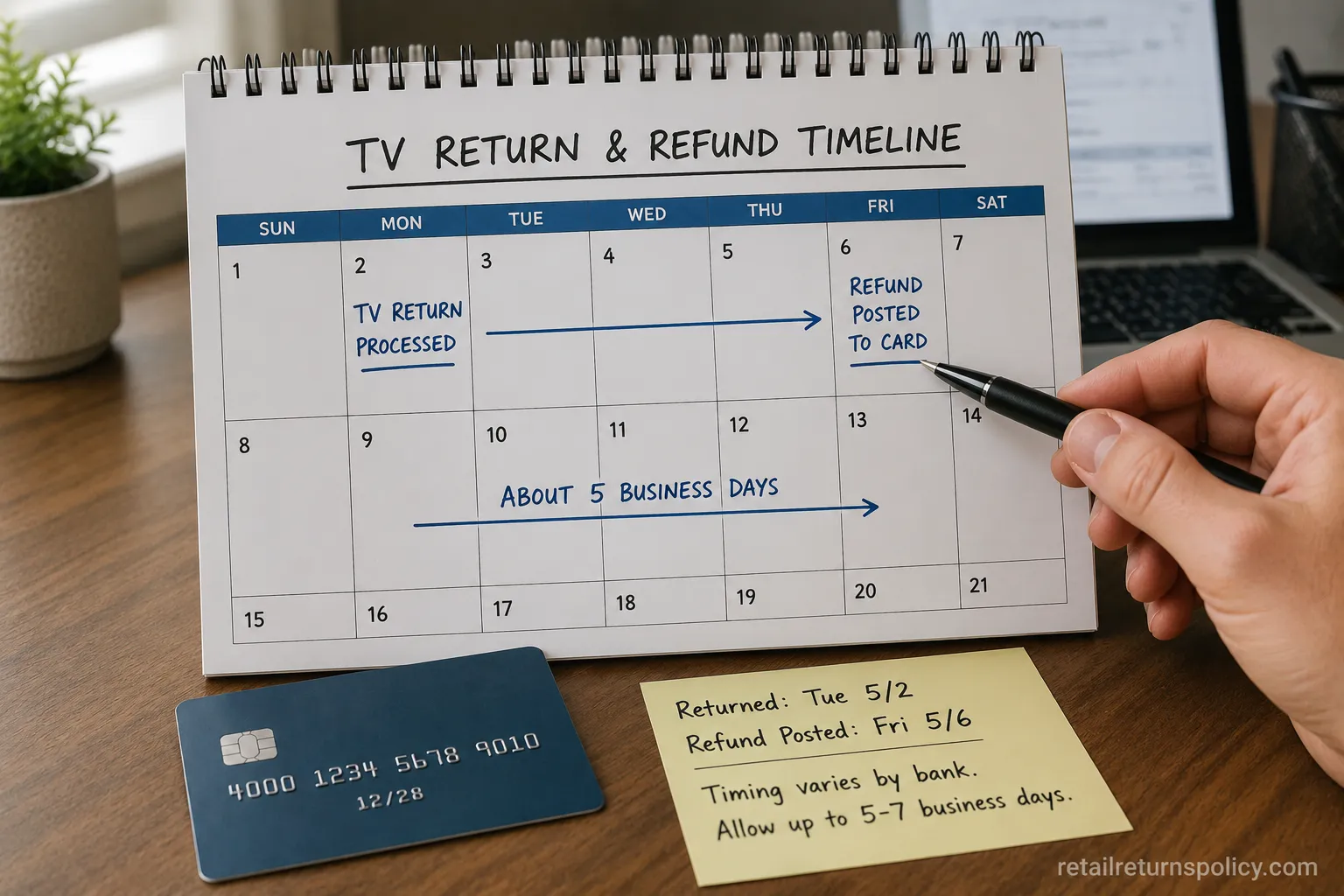
Refunds return to your original payment method, typically within 2 to 10 business days depending on your bank.
Locate the order in your My Best Buy account, or have the store look it up by card or phone number.
Choose your path: in-store drop-off, a prepaid mail label for a TV 50 inches or smaller, or a scheduled pickup for anything over 50 inches by calling 1-888-237-8289.
Repack the TV in its original box with the remote, cables, stand, and accessories.
Bring a valid photo ID and your proof of purchase to the store, or hand the set to the pickup team.
Confirm the refund method and timing before you leave, and keep the return receipt until the money posts.
One quiet gotcha: standard members who mail a return have the shipping-label cost deducted from the refund, while Plus and Total members ship free. On my end-to-end test return, the refund posted to the original card in about five business days.
If you return often, remember the tracked-return limit in how many returns is too many.
Frequently Asked Questions
Can I return a TV to Best Buy if I don’t like it?
Yes, within your membership window of 15 days for standard members or 60 days for My Best Buy Plus and Total members, and the TV must come back in like-new condition with the box, remote, and cables. A change of mind is accepted as a courtesy, not a legal right.
Does Best Buy charge a restocking fee on TVs?
No, televisions are not on Best Buy’s restocking-fee list, so there is no 15% or $45 charge on a returned TV at any membership tier. Those fees apply to opened activatable devices ($45) and a fixed set of categories like drones and digital cameras (15%).
Can I return an opened TV to Best Buy?
Yes, an opened TV is returnable inside your window in like-new condition with all accessories, and defective sets with clear dirty screen effect or dead pixels are also covered by warranty beyond the window. Keep the original packaging to avoid a denied return.
Can I return a TV without the original box?
Sometimes, but it is risky. Best Buy can process a return with a deduction for missing packaging, yet transporting a boxless TV that then cracks turns a valid return into a denied one, so for any large set the box is your insurance.
Best Buy vs. Costco: which has the better TV return policy?
Costco generally allows 90 days to return most electronics including TVs, which is longer than Best Buy’s 15 days for standard members. Best Buy closes much of that gap for Plus and Total members at 60 days and adds perks like the TV Fit Promise, so your best pick depends on membership.
What is Best Buy’s return policy on laptops?
Laptops follow the same tier windows as TVs, 15 days standard and 60 for members, with no restocking fee, confirmed in Best Buy’s Q&A. Back up your data and factory-reset the device before returning it.
The Bottom Line
Strip away the confusion and the Best Buy return policy TV shoppers should remember is three quick checks: your tier sets the window at 15 or 60 days, your screen size decides whether you can ship it or must hand it over in person, and the condition of the set decides whether you are protected by warranty or relying on courtesy.
Televisions carry no restocking fee, the over-50-inch no-ship rule is the trap that catches most people, and a genuinely defective panel gives you more standing than simple regret. Check your receipt for the printed deadline the moment doubt sets in, and keep the box until you are sure.
Do that, and returning a Best Buy TV is a short errand rather than an expensive lesson.
Read it your way
Short on time? Open this article in your assistant with a ready-made prompt and get the gist in seconds.
Found this useful? Make us a preferred source so we show up in your Google results.
Keep reading
Related articles

Retailer Return Policy Hubs
Lowe’s Return Policy (2026): What 6 Real Returns Taught Us
Get Lowe’s return policy in plain English: the 90-day window, the 48-hour appliance and window-AC trap, no-receipt store credit, refund timing, and how to retur
Retailer Return Policy Hubs
No Apple Restocking Fee in the US? The 25% Myth (2026)
Skip the Apple restocking fee worry: the US charges $0 within 14 days, while carriers add $50 and Best Buy, Samsung & Newegg dock 5–15%.
Retailer Return Policy Hubs
Return and Exchange Policy: What You Get Back (2026)
An exchange swaps your item; a refund returns your cash. See how a return and exchange policy pays out, when swaps are free, and your state rights.

Retailer Return Policy Hubs
Old Navy Return Policy: 30, 45 & 60-Day Windows (2026)
Check the Old Navy return policy fast: 30-day window (45–60 days for members), receipt rules, refund timing, the $7 mail fee & final-sale items.
The discussion
Comments
Every comment is reviewed before it goes live.